
Trong bối cảnh Facebook vẫn là một trong những nền tảng mạng xã hội lớn nhất thế giới, việc quản lý và phát triển Fanpage hiệu quả không thể chỉ dựa vào số lượt thích hay người theo dõi. Thay vào đó, mức độ tương tác của trang Facebook mới là yếu tố phản ánh chính xác mức độ quan tâm thực sự của người dùng đối với nội dung mà bạn chia sẻ. Để hiểu rõ cách kiểm tra mức độ tương tác của trang Facebook, từ đấy tối ưu chiến lược truyền thông, cải thiện hiệu suất bài viết và gia tăng giá trị thương hiệu, bạn nên theo dõi bài viết này của SOC LUA.
Facebook Page engagement represents how users respond to your content through likes, comments, shares, link clicks, video watch time, and other actions. This is an important indicator that shows whether your content is truly engaging and relevant to your target audience.
Facebook page engagement reflects how users respond to content through likes, comments, shares, link clicks, video watch time, or other actions. This is a crucial indicator of whether your content is truly engaging and relevant to your target audience.
Checking engagement not only helps evaluate the effectiveness of individual posts but also reflects the overall quality of your Fanpage. A Facebook Page with high engagement is often prioritized by the algorithm for wider distribution, helping increase organic reach and reduce advertising costs. Conversely, if engagement is low, even well-invested content may struggle to reach users.
In addition, for businesses, engagement is directly related to conversion rates, the ability to build trust, and long-term relationships with customers. Therefore, mastering how to check Facebook Page engagement is a fundamental step in any marketing strategy.
How to check Facebook Page engagement using Facebook Insights
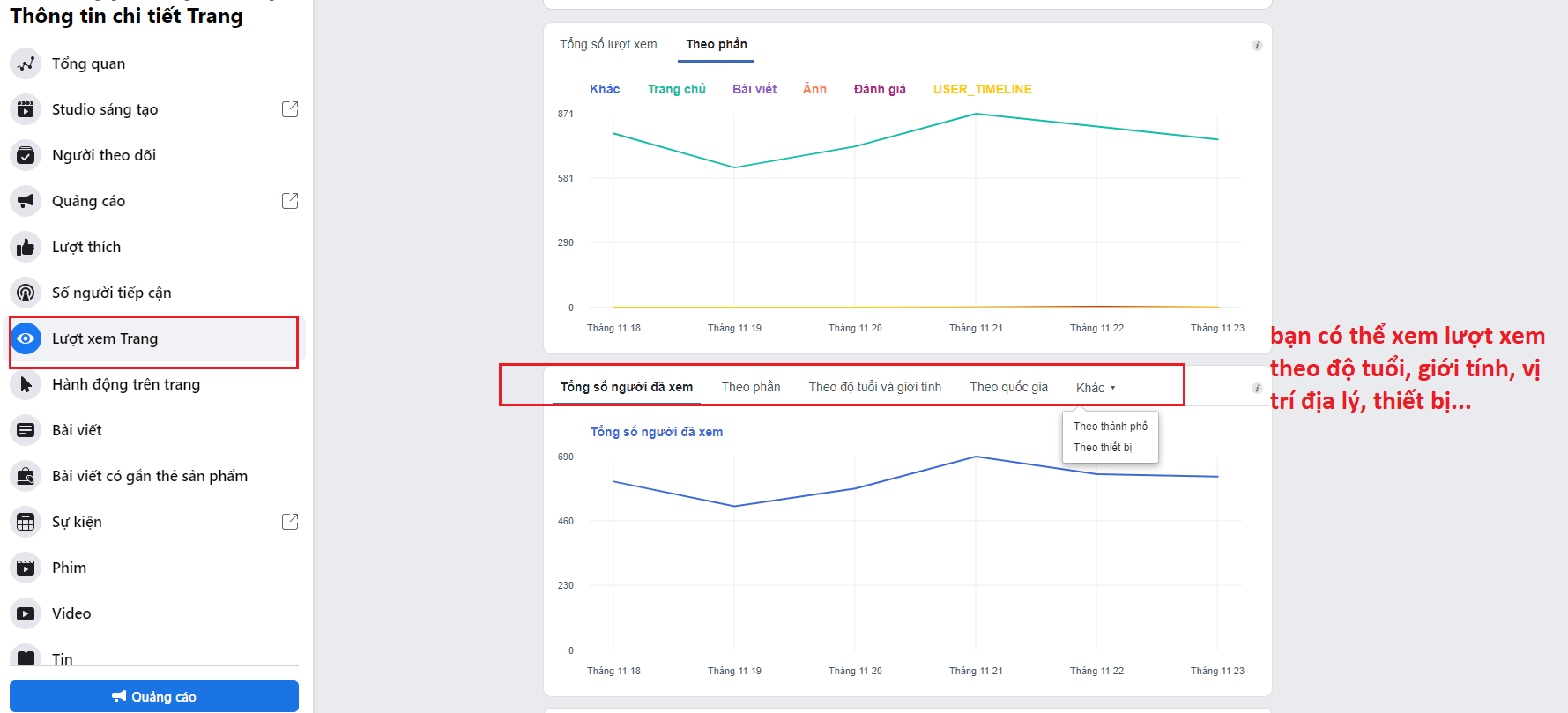
Overview of Facebook Insights
Facebook Insights is a free analytics tool provided by Facebook for Fanpage administrators. This tool allows you to track the performance of your Page and individual posts in detail, helping you better understand follower behavior.
To access Facebook Insights, simply log in to your Facebook Page with admin privileges, then select “Professional dashboard” or “Insights,” depending on Facebook’s updated interface.
Key engagement metrics to monitor
When using Facebook Insights to check Facebook Page engagement, you will see various metrics. Among them, reach, post engagement, reactions, comments, and shares are the core indicators. These data points help you identify which content is performing well and which needs improvement.
In addition, Facebook Insights provides information about peak user activity times, demographic characteristics, and engagement trends by day, week, or month. This serves as an important basis for adjusting your posting schedule and content style.
Evaluating Fanpage performance through Facebook Insights
By analyzing data from Facebook Insights, you can assess overall Page engagement by comparing interaction levels with the number of followers. If a Fanpage has many followers but low engagement, this indicates that the content is not compelling enough or that the follower audience is not well aligned.
On the other hand, a Fanpage with a moderate number of followers but high engagement is often considered high-quality and has strong potential for sustainable growth.
How to check Facebook Page engagement by calculating Engagement Rate
What is Engagement Rate?
Engagement Rate is a metric that measures how much users interact with content compared to the number of people reached or the number of followers. This is a quantitative way to check Facebook Page engagement and is widely used in marketing.
This metric helps you compare performance across posts, campaigns, or even between different Fanpages within the same industry.
How to calculate Facebook Page Engagement Rate
Engagement Rate is typically calculated by dividing the total number of interactions, such as likes, comments, shares, and other actions, by the number of people reached or the number of followers, then multiplying by 100 to get a percentage.
Calculating Engagement Rate allows you to better assess content quality rather than focusing solely on absolute interaction numbers. A post with fewer views but a higher engagement rate may be considered more effective than a post with many views but low interaction.
The significance of Engagement Rate in evaluating a Fanpage
A high Engagement Rate indicates that your content aligns well with the needs and interests of your followers. It is also a positive signal to Facebook’s algorithm, increasing the chances of your posts being distributed more widely.
For businesses, a stable and growing engagement rate over time reflects strong customer connection with the brand, thereby supporting sales campaigns and customer care efforts more effectively.
How to check Facebook Page engagement using third-party tools
Benefits of external analytics tools
In addition to Facebook Insights, many third-party tools help check Facebook Page engagement in a more detailed and visual way. These tools often provide consolidated reports, competitor comparisons, and long-term trend analysis that Facebook Insights may not fully cover.
Using external tools gives you a more comprehensive view of Fanpage performance, especially when managing multiple Pages or running large-scale marketing campaigns.
Comparing data to evaluate engagement levels
A major advantage of third-party tools is their ability to compare engagement levels among Fanpages within the same industry. This helps you determine your position in the market and clearly identify strengths and weaknesses compared to competitors.
Based on comparative data, you can adjust your content strategy, posting frequency, and customer approach to improve engagement effectiveness.
Notes when using engagement analysis tools
When using third-party tools to check Facebook Page engagement, you should choose reputable platforms and ensure compliance with Facebook’s policies. At the same time, data from these tools should be used as reference sources in combination with Facebook Insights to achieve the most accurate conclusions.
Factors affecting Facebook Page engagement
Facebook Page engagement is influenced not only by measurement tools but also by many other factors. Content quality is the most important factor. Content that provides value, solves readers’ problems, and matches the target audience is more likely to generate high engagement.
Posting time also significantly affects engagement. Posting during periods when followers are most active increases visibility and response rates. In addition, content formats such as videos, images, and livestreams often generate better engagement than text-only posts.
Furthermore, engagement is related to consistency in Fanpage strategy, responsiveness to comments and messages, and the level of brand trust among users.
Understanding how to check Facebook Page engagement is an essential step for individuals and businesses to accurately evaluate their performance on this platform. Engagement data is not only for tracking but also for optimization. By knowing which content performs well and which does not, you can adjust your communication strategy, enhance follower experience, and build a sustainably growing Fanpage on Facebook.
Frequently Asked Questions
Checking engagement helps administrators evaluate content effectiveness, understand follower behavior, and promptly adjust communication strategies. Fanpages with high engagement are often prioritized by Facebook for visibility, increasing organic reach and improving business performance.
You should check engagement on a weekly or monthly basis to monitor trends and evaluate content strategy effectiveness. For advertising campaigns or product launches, daily monitoring allows for timely optimization.