In the time of video dominating social media, Facebook has become one of the leading platforms for content creators, businesses and individual users to share videos to reach a large audience. However, many people encounter a situation that confuses them: Facebook videos do not show views, even though they have been posted publicly and have been interacted with. So, Why is my Facebook Video not showing views and how can I fix it? The following article by SOC LUA will help you understand why your Facebook videos are not showing views, and guide you on how to handle them effectively to ensure your videos work properly.
Understanding How Facebook Counts Video Views
How does Facebook count a view?
Before figuring out why your Facebook video is not showing views, you need to understand how Facebook defines a “view.” According to Meta, a valid view is counted when a user watches your video for at least three seconds. This means that if someone scrolls past your video without pausing, Facebook won’t register it as a view.
For short-form videos (Reels) or ads, Facebook may apply slightly different standards — for instance, counting a view after two seconds or only within a specific target audience.
The difference between views and reach
A common mistake many users make is confusing views with reach. Reach measures how many people your video has appeared in front of, while views represent how many people actually stopped and watched it. Therefore, your video might have high reach but still not show any views if users didn’t stay long enough to watch.
The reasons to why is my Facebook video not showing views
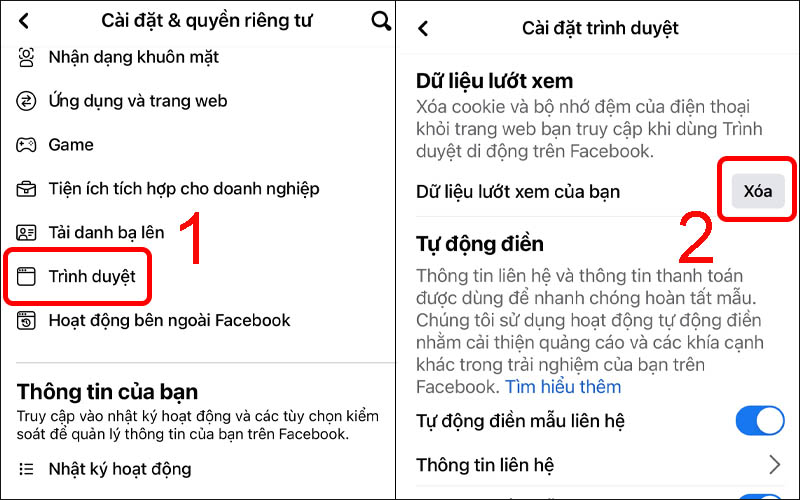
If you’ve uploaded a video to your profile, Page, or Group but don’t see any view count, the issue usually falls into one of the following categories.
The video is set to private
Facebook only displays view counts for public videos. If your video’s privacy setting is set to “Only Me” or “Friends,” others won’t be able to view it — meaning Facebook won’t display the public view count. To check, go to the video’s privacy settings, switch it to Public, and then refresh the page to see if the view count appears.
The video doesn’t meet Facebook’s requirements to show views
Facebook clearly states that only videos longer than three seconds and uploaded directly to the platform will display view counts. If your video is shorter than three seconds or shared via an external link (such as YouTube), the platform will not count or display views. Additionally, if your video violates community guidelines or has been flagged for copyright issues, Facebook may temporarily hide the view count until the issue is resolved.
Temporary technical glitches on Facebook’s system
Sometimes, your video not showing views isn’t your fault — it could be due to a temporary bug in Meta’s system. During major updates or server issues, metrics such as views, reach, and comments may display incorrectly or with delay. If your video is set to public and meets all conditions, wait for a few hours (or up to 24 hours). In most cases, Facebook will automatically update the view count once the system stabilizes.
The video was posted in a private group or restricted audience
Another common reason is that your video was posted in a private group or a group requiring member approval. In these cases, Facebook may only display internal view counts within the group, and sometimes hides them completely from non-members.
If your goal is to promote the video to a wider audience, consider posting it on a public Page where full analytics and views are displayed.
How to check and fix when my Facebook video is not showing views
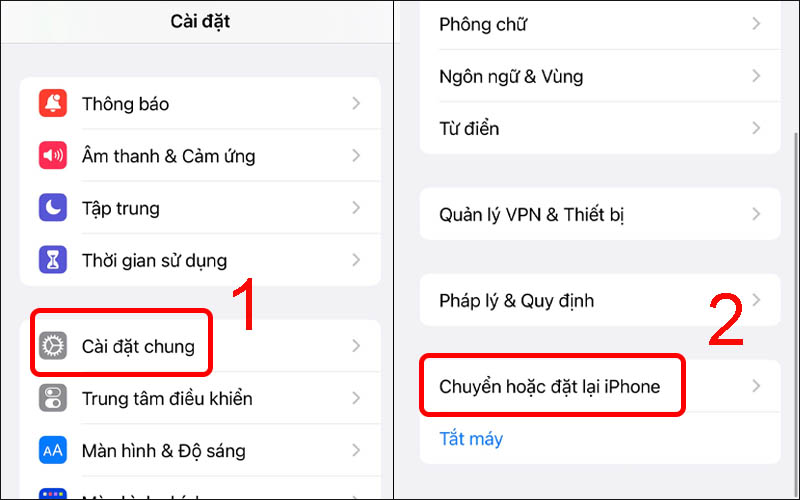
Once you’ve identified the cause, you can apply the following steps to fix the issue.
Step 1: Check your privacy settings
Go to Video Settings > Edit Audience > Public (Everyone). If you’re using a business account, make sure your Page is not restricted by country or age, as such limitations can also prevent video views from appearing.
Step 2: Make sure your video complies with Facebook’s policies
If your video contains copyrighted audio, visuals, or other restricted material, Facebook might temporarily hide the view count. Visit the Rights Manager in your account to review your video’s copyright status. If violations exist, edit or replace the video to restore public visibility.
Step 3: Test on another device or app
Sometimes the issue is device-specific. Try opening the video on a desktop browser or update your Facebook app. If the views display correctly elsewhere, it means the app version you’re using has a temporary display glitch.
Step 4: Use Creator Studio or Meta Business Suite
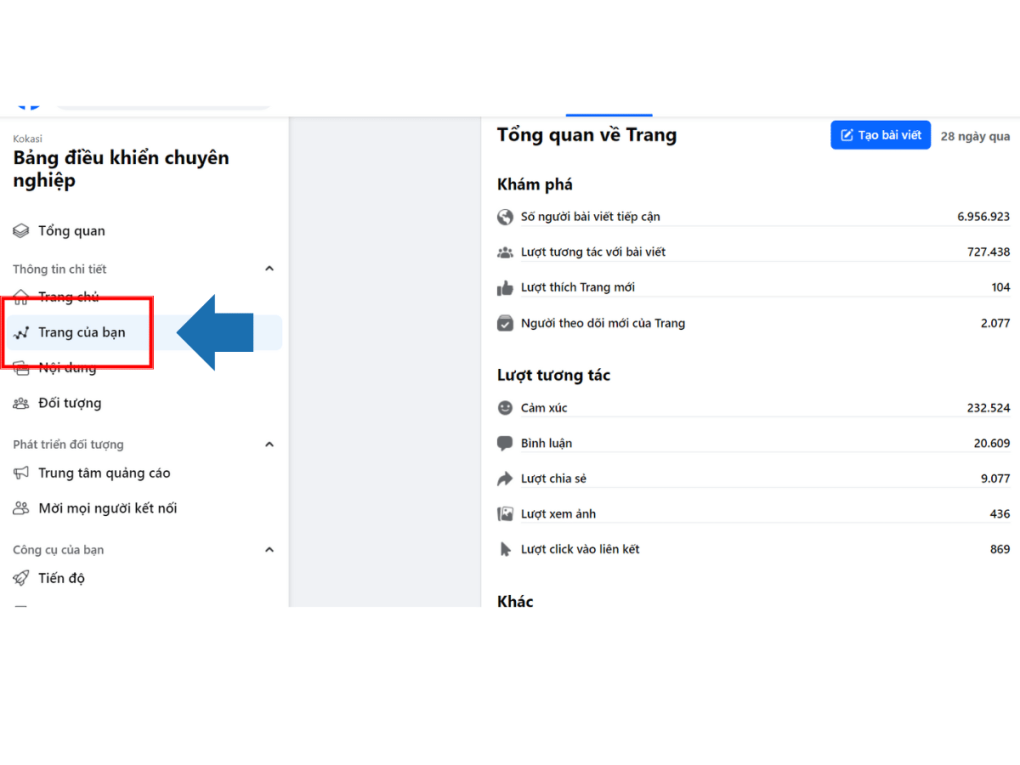
If you’re managing a Page, open Meta Business Suite or Creator Studio. There you can view detailed analytics — including views, engagement rate, average watch time, and viewer retention — even when the public view count doesn’t appear on the post itself.
This is a reliable way to monitor your video performance in real time without relying solely on what’s displayed publicly.
Tips to Ensure Facebook Videos Display Views Properly
Upload original videos instead of sharing external links
Facebook prioritizes videos uploaded directly to its platform rather than shared from YouTube, TikTok, or other sources. Uploading native content not only ensures your views are counted but also boosts reach and distribution due to Facebook’s algorithm preferences.
Keep your videos at least 15 seconds long
Although Facebook counts a view after 3 seconds, very short videos rarely perform well. Videos between 15–60 seconds generally achieve higher engagement and more consistent view tracking.
Avoid editing the video after posting
If you frequently edit your video or change its privacy settings after posting, Facebook may reset your video metrics, causing view counts to drop or disappear. Always ensure your video is finalized and set correctly before publishing.
Be patient with updates
Sometimes, especially for high-engagement videos, Facebook needs several hours to refresh the view count accurately. If everything seems fine but the view count hasn’t appeared yet, don’t worry — the system will usually correct itself within 24 hours.
The issue of Facebook videos not showing views isn’t always serious. In most cases, it’s caused by incorrect privacy settings, videos that don’t qualify for view tracking, or temporary display glitches from Facebook. Hopefully after this article, you can apply it to stabilize your vieo's view count in order to optimize your Facebook ads campaign.
Frequently Asked Questions
No. Facebook only displays view counts for Public videos. If your video is set to “Friends” or “Only Me,” the number of views won’t be visible to others.
Yes. Facebook Reels count a view after a user watches for 1–2 seconds, while regular videos require 3 seconds or more. However, both types can experience delayed or hidden view counts if there’s a system error or the video is flagged.
When you edit a video or change its privacy settings after posting, Facebook can reset the video’s metrics, causing the view count to drop or disappear. It’s best not to edit a video after it has been published publicly.