When it comes to online marketing, Facebook Business Pages are like the most accessible “front” for small businesses. With just a Facebook account, you can create a Page, post content, message customers, view statistics, etc. very effectively. So is a Facebook Business Page free? This article by SOC LUA will explain in detail so you understand how it works, the costs involved and how to optimize your business performance on Facebook.
Is a business Page on Facebook free?
Facebook Business Pages are completely free. There are no fees to create, maintain, or manage a Page on the platform. With just a personal Facebook account, you can create a Page to represent your business, brand, or service without any startup costs.
Facebook provides free basic features such as adding business information, publishing posts, uploading images, creating a shop, responding to customer messages, and connecting with followers. This is why businesses of all sizes choose Facebook as an important and cost-effective marketing channel.
Why does Facebook allow free business Pages?
Facebook aims to attract more businesses and users to join its ecosystem. The more active business Pages become, the more opportunities Facebook has to generate revenue through advertising. Therefore, Facebook offers free Page creation to encourage users to build their presence on the platform. This long-term strategy helps Facebook maintain a massive user base and boost revenue from its ad system.
Free features included with a Facebook business Page
Although creating a Page is free, many users are unaware of the additional benefits Facebook provides. Understanding these free features helps you maximize your Page’s potential without spending money.
Create and optimize pages for free
Creating a Facebook Business Page is 100% free. It only takes a few minutes to fill in your business name, choose a business type, and add some basic information. On your Page, you can:
- Customize your brand identity: Profile photo, cover photo, introduction video,... are all free “signs”, helping your Page look more professional and create a first impression with customers.
- Update business information (About/Information): Address, phone number, email, website, opening hours, short description of services/products… All displayed in one place so that customers can just go to the Page to know how to contact, get directions, make an appointment or learn more.
- Set up a call-to-action (CTA) button: You can attach a Call Now, Send Message, Send Email, Schedule, Buy Now… button depending on your goals. This action button is completely free, but helps increase the rate of customers actively interacting with the business.
Meta Business Suite
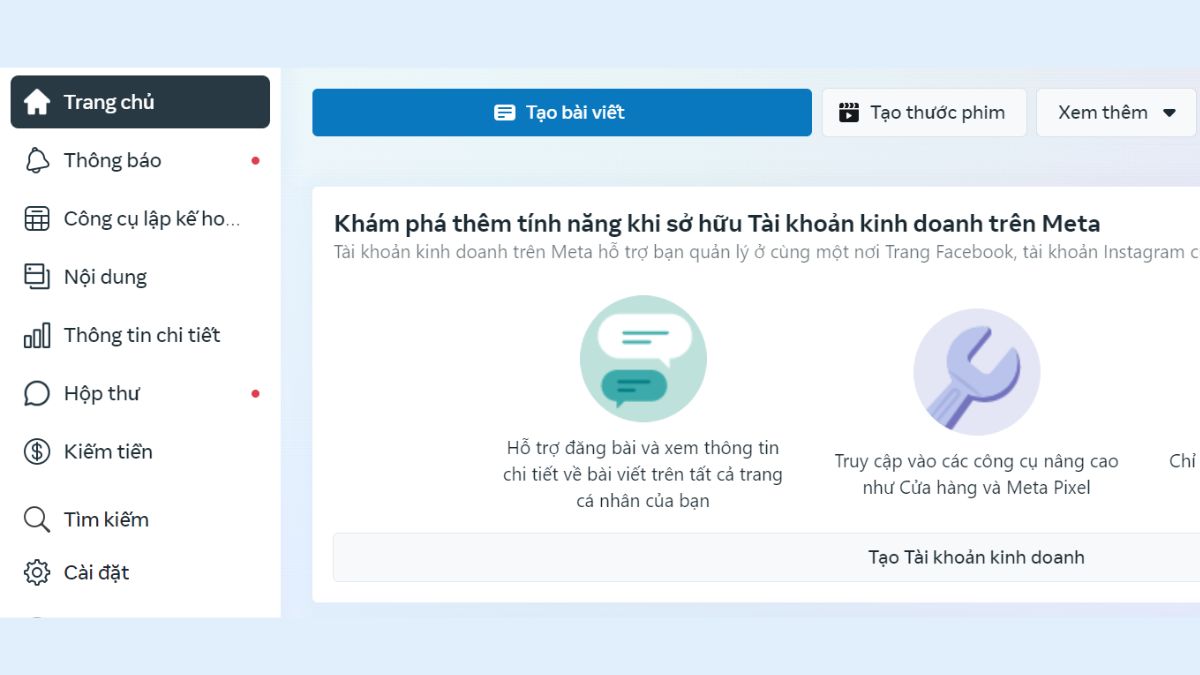
Sau khi tạo Trang, bạn có thể sử dụng công cụ quản lý nội dung của Facebook, Meta Business Suite.
Meta Business Suite is a free management tool that allows you to create, schedule, and publish posts on Facebook and Instagram in one interface. This allows you to plan content for the entire week/month without having to be online all the time to post. This tool helps businesses do content marketing in a relatively systematic way.
Messaging, calendaring, groups and events
Một trong những điểm mạnh nhất của Trang là khả năng tương tác trực tiếp với khách hàng thông qua các tính năng cộng đồng miễn phí.
- Automated messages: When customers message with product inquiries, quotes, orders, or other issues, you can set up welcome messages, FAQs, or basic auto-replies.
- WhatsApp, Instagram Connectivity: Business Suite lets you manage messages from Facebook, Instagram, and sometimes WhatsApp (depending on configuration) to respond to customers faster without additional platform fees.
- Event: Facebook listed that Event is one of the free tools for businesses on Page. You can create opening events, workshops, special livestreams, minigames... to invite followers to join, receive automatic notifications and update information.
- Groups associated to Pages: Businesses can create their own Groups for customer communities, then attach them to Pages to create loyal customer files, provide after-sales care, share knowledge,... This is a free but very effective way to build a community.
- Appointment Booking: Facebook also offers free appointment booking for some types of services (spas, salons, consulting rooms,...). Customers can choose their own time slot, then businesses confirm and track the schedule right on the Page.
Statistics and optimization with Insights, Professional Dashboard
A very valuable point that many small Page owners ignore is that data analysis tools (Insights) are provided for free. This data is the foundation for you to make decisions based on the actual situation, instead of just posting based on emotions.
- Insights in Meta Business Suite: If you use Business Suite, you also get free Insights to track the performance of your posts, messages, and ads (if applicable) across both Facebook and Instagram in one dashboard.
- Page Insights: Meta allows you to see metrics like Page views, likes, reach, engagement, follower demographics (age, gender, location),... This helps you know what content is effective, what times are better to post, or who your main customer base is.
- Professional Dashboard: On Pages and accounts with professional mode enabled, you have a dashboard that aggregates tools and metrics to manage and optimize content. Here, you can see an overview of content performance, track follower growth, see content optimization suggestions from Facebook, etc.
When does a Facebook business Page cost money?
Although you can fully operate a business Page for free, not all business activities on Facebook are cost-free. Facebook only charges when you use advertising tools or additional third-party services.
Facebook ads – the most common cost
If you want to increase visibility, reach new customers, or boost sales, you will need Facebook advertising. This is the main cost for most businesses aiming for faster growth. Ad costs depend on your chosen budget, starting from as little as 20,000–50,000 VND per day.
Hiring staff to manage the Page
Some businesses need administrators, content creators, advertisers, or customer support staff. These operational costs are not charged by Facebook but are related to managing the Page efficiently.
Paid supporting tools
Businesses may use external tools such as chatbot software, comment–inbox management tools, or content creation platforms. These tools often require monthly or yearly subscription fees.
Is a free business Page enough to grow a brand?
Many small business owners successfully start with a free Facebook Page by posting engaging content, providing good customer service, and maintaining high interaction. However, for businesses wanting stronger competition, advertising often becomes necessary to expand reach.
Organic growth through content
If you focus on creative content, post consistently, respond quickly, and provide real value, your Page can still grow well without paid ads initially. This approach is ideal for beginners or those with limited budgets.
Combining free and paid strategies
The most effective method is to maximize Facebook’s free tools and then use paid ads to accelerate growth. This strategy saves money while delivering long-term results.
How to create a free Facebook business Page
Step 1: Go to Facebook and choose Create Page
Log into your personal Facebook account, go to Pages, and click Create Page. A setup interface will appear, allowing you to enter basic information and preview your Page instantly.
Step 2: Enter business information
Add your Page name, category, and short description. The name should be clear, the category accurate, and the description should summarize your business to improve search visibility.
Step 3: Optimize your profile and cover images
Upload a high-quality logo or profile image for credibility. Your cover image should reflect your products or brand message to make a strong first impression.
Step 4: Complete your contact information
Add your phone number, email, operating hours, and service area to increase customer trust. You can also add action buttons such as Call Now or Message.
Step 5: Publish your first post and start growing
After setup, publish an introductory post to make your Page look established. Then invite friends to follow and continue posting consistently to boost engagement.
So, is a business Page on Facebook free? The answer is absolutely yes. However, to achieve long-term results, businesses should combine organic content strategies with paid advertising when appropriate. Facebook provides a powerful, easy-to-use marketing platform suitable for all business sizes. Taking advantage of a Facebook Page from the beginning helps you build your brand, increase credibility, and expand your customer base without high investment.
Frequently Asked Questions
Yes. With quality content, good interaction, and consistent posting, your Page can grow organically.
Facebook does not delete inactive Pages, but lack of activity may reduce visibility and follower engagement.